1. Introduction
Organizations rely on secure network infrastructure to protect sensitive data and keep business services available. As networks, cloud platforms, and remote work expand, threats such as malware, ransomware, phishing, unauthorized access, and network intrusions become harder to control with basic security devices.
Fortinet FortiGate is a next-generation firewall (NGFW) that combines firewall protection, intrusion prevention, antivirus scanning, VPN, web filtering, application control, SD-WAN, and traffic monitoring in one platform. It helps organizations inspect traffic, enforce policies, block threats, and monitor security events across offices, data centers, and cloud environments.
2. Overview of the Tool
FortiGate acts as the security gateway for a network. It inspects incoming and outgoing traffic, applies security policies, and decides whether traffic should be allowed, blocked, inspected, logged, or routed through secure paths.
FortiGate is available as:
- Physical hardware appliances.
- Virtual machines for hypervisors.
- Cloud deployments for AWS, Azure, Google Cloud, and other platforms.
It is used by small businesses, enterprises, schools, government organizations, data centers, retail branches, and distributed offices.
3. Problems Solved by FortiGate
- Hidden threats in encrypted traffic: Decrypts and inspects HTTPS/SSL traffic to find threats hidden in encryption.
- Network complexity: Replaces separate routing, VPN, antivirus, web filtering, and firewall devices with one integrated platform.
- Ransomware and zero-day attacks: Uses FortiGuard intelligence and sandboxing to identify suspicious files and behavior.
- Insecure remote work: Provides VPN, SD-WAN, and ZTNA capabilities for secure access outside the office.
4. Where FortiGate Is Used
- Enterprise edge: Sits between the internal network and the internet to block external threats.
- Data centers: Segments sensitive zones such as HR, finance, and production services.
- Cloud security: Runs as a virtual appliance to protect cloud workloads and applications.
- Distributed branches: Secures retail stores, bank branches, and remote offices with local internet access.
5. How FortiGate Works
FortiGate combines custom hardware acceleration with layered software inspection. It follows a packet-flow process where each connection is evaluated against routing, session, and security rules.
Hardware acceleration
- Network Processors: Handle routing, forwarding, and VPN encryption/decryption at high speed.
- Content Processors: Offload deep packet inspection, SSL/TLS decryption, and antivirus scanning.
- CPU: Handles management, policy decisions, and traffic that cannot be accelerated.
Packet workflow
- Packet enters the FortiGate interface.
- The firewall checks packet integrity, size, and DoS policy.
- FortiGate checks the session table.
- Existing trusted sessions may use a fast path.
- New sessions are matched against firewall policies.
- If allowed, UTM profiles inspect the content using IPS, antivirus, web filtering, and application control.
- Clean traffic is routed to the destination.
- Logs and events are generated for monitoring.
Modes of operation
- NAT/Route mode: FortiGate acts as a Layer 3 gateway or router. This is the most common deployment mode.
- Transparent mode: FortiGate acts as a Layer 2 bridge, filtering traffic without changing network addressing.
Inspection types
- Flow-based inspection: Scans traffic on the fly for low latency and high performance.
- Proxy-based inspection: Buffers the session or file for deeper inspection, with more latency.
6. Traditional Firewall vs FortiGate NGFW
| Feature | Basic Firewall | FortiGate NGFW |
|---|---|---|
| Visibility | IP addresses and ports | Applications, users, content, and behavior |
| Inspection | Packet headers | Deep packet inspection |
| Threat protection | Allow/block rules | Antivirus, IPS, sandboxing, and web filtering |
| Encrypted traffic | Usually blind to HTTPS content | Can decrypt, inspect, and re-encrypt SSL traffic |
| Intelligence | Static rules | FortiGuard threat intelligence updates |
| Networking | Basic routing | Secure SD-WAN, VPN, and ZTNA support |
7. FortiGate Versioning and Comparison
Fortinet uses both hardware generations and FortiOS software versions.
Hardware generations
| Generation | Status | Key technology | Ideal deployment |
|---|---|---|---|
| E-Series | Legacy | SoC3 / NP6 | Basic branch offices |
| F-Series | Mature | SoC4 / NP7 | Enterprise edge and SD-WAN |
| G-Series | Current flagship | FortiSP5 ASIC | High-speed data centers and modern networks |
FortiOS versions
- FortiOS 7.0: Stable release line used by uptime-focused organizations.
- FortiOS 7.6: Modern release line focused on ZTNA and SD-WAN orchestration.
- FortiOS 8.0: Next-generation release direction focused on AI assistance and stronger future-ready encryption capabilities.
Model comparison
| Category | Example models | Firewall throughput | Target audience |
|---|---|---|---|
| Entry-level | FG-40F / FG-90G | 5-28 Gbps | Small offices, retail, SOHO |
| Mid-range | FG-200G / FG-600F | 39-139 Gbps | Campuses and enterprises |
| High-end | FG-3500G / FG-4400F | 500 Gbps+ | Data centers and service providers |
| Virtual | FortiGate-VM | Scales by license | Public cloud and virtual labs |
8. Features and Capabilities
- Deep Packet Inspection: Inspects application-layer traffic to identify malicious content.
- AI-powered security: Uses FortiGuard Labs intelligence to detect ransomware, malware, and zero-day indicators.
- Networking convergence: Combines security, routing, Secure SD-WAN, and Universal ZTNA.
- Secure remote access: Supports IPsec VPN and SSL VPN.
- Centralized management: FortiManager can manage policies across multiple FortiGate devices.
- Security Fabric integration: Works with FortiSwitch, FortiAP, FortiAnalyzer, endpoint tools, and other Fortinet products.
9. Advantages and Disadvantages
Advantages
- High throughput and low latency through custom ASICs.
- Intuitive web GUI and setup wizards.
- Scales from small branches to hyperscale environments.
- Strong Fortinet Security Fabric integration.
Disadvantages
- Full protection requires FortiGuard subscriptions.
- Long-term log analysis often requires FortiAnalyzer.
- New firmware releases can require careful testing before production deployment.
10. System Requirements for FortiGate-VM
| Component | Minimum evaluation license | Recommended production |
|---|---|---|
| vCPU | 1 vCPU | 4+ vCPUs |
| RAM | 2 GB | 4-48 GB+ |
| Storage | 32 GB | 200 GB-2 TB |
| Network interfaces | 1-10 | At least 3: WAN, LAN, management |
11. Lab Setup
- Lab environment: VirtualBox internal network.
- Tools used: FortiGate-VM and Kali Linux.
12. Installation & Technical Implementation
Step 1: Download and prepare files
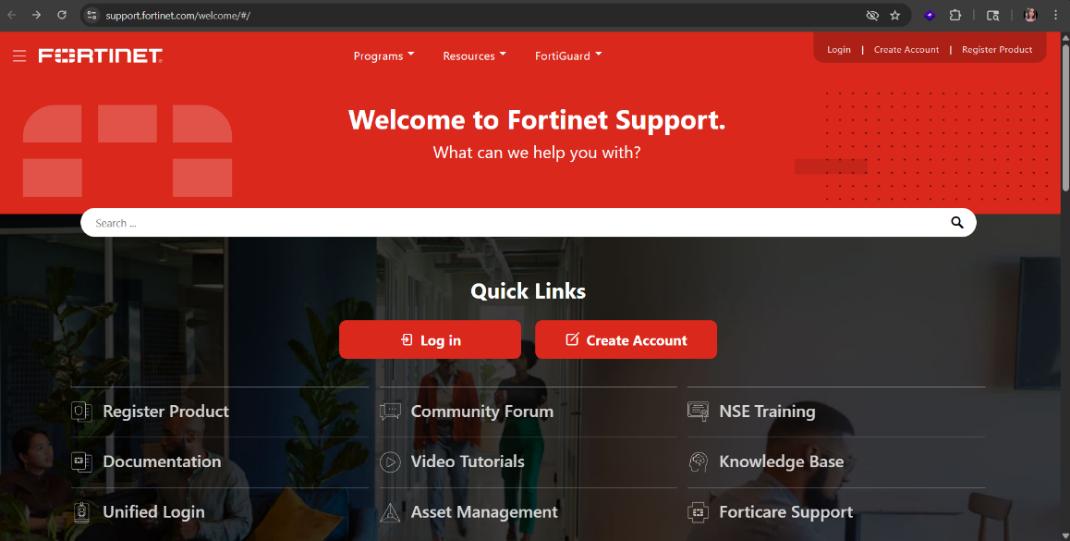
- Register in the Fortinet Support Portal.
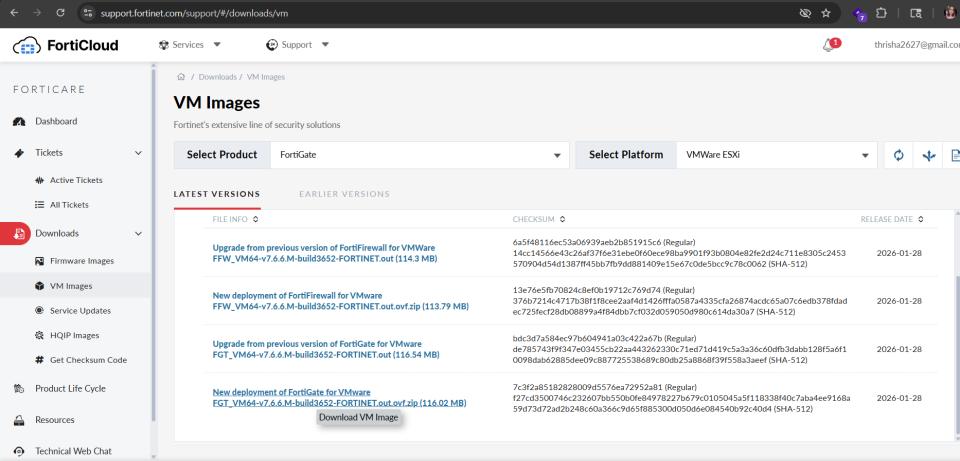
- Go to Support > VM Images.
- Select FortiGate and download the VMware ESXi new deployment ZIP.
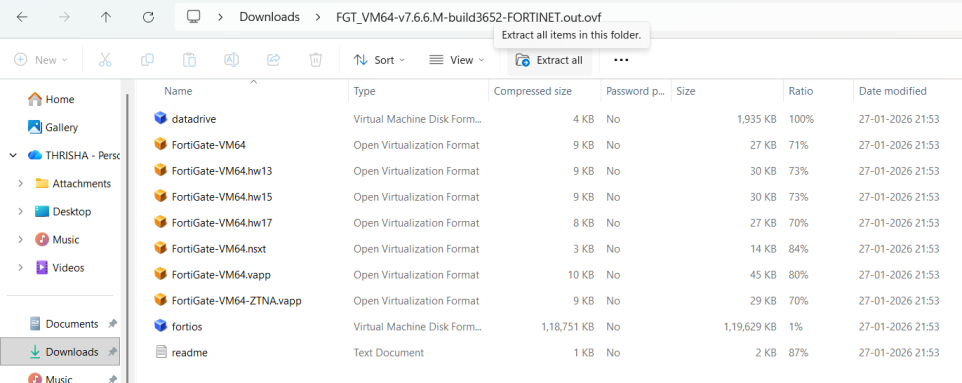
- Extract the ZIP file.
- Move the extracted folder to
C:\FortiGate_Lab.
Step 2: Create the VM in VirtualBox
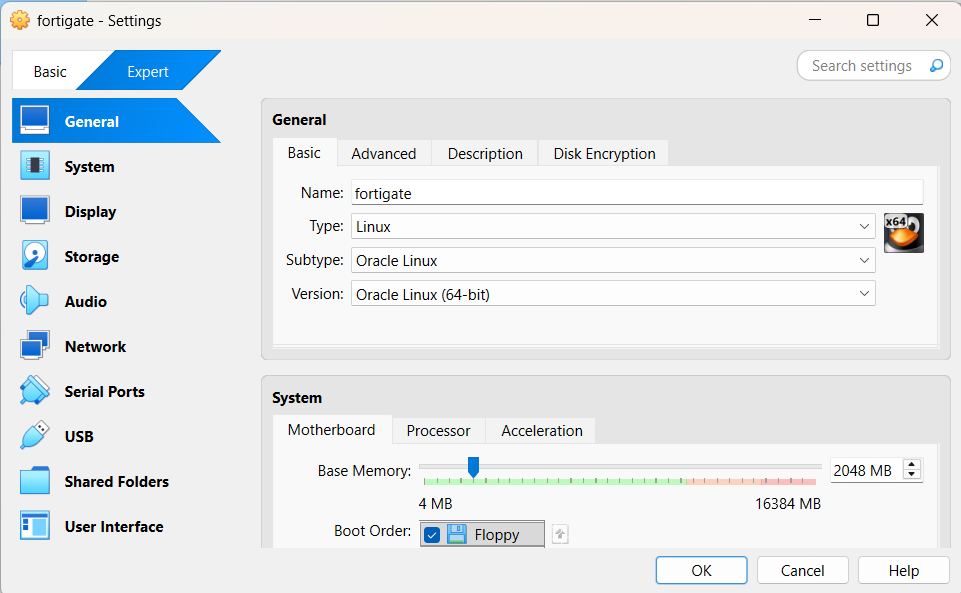
- Run VirtualBox as Administrator.
- Create a new VM named
FortiGate. - Select Linux, Other Linux 64-bit.
- Set RAM to 2048 MB.
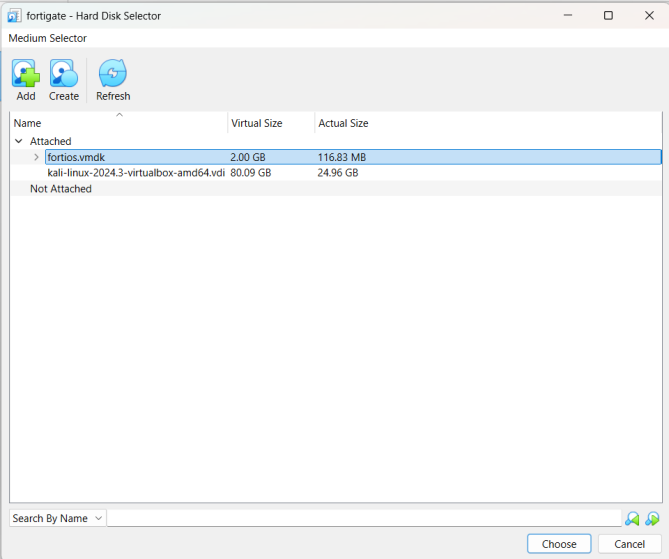
- Use the existing
fortios.vmdkdisk.
Step 3: Configure critical VM settings
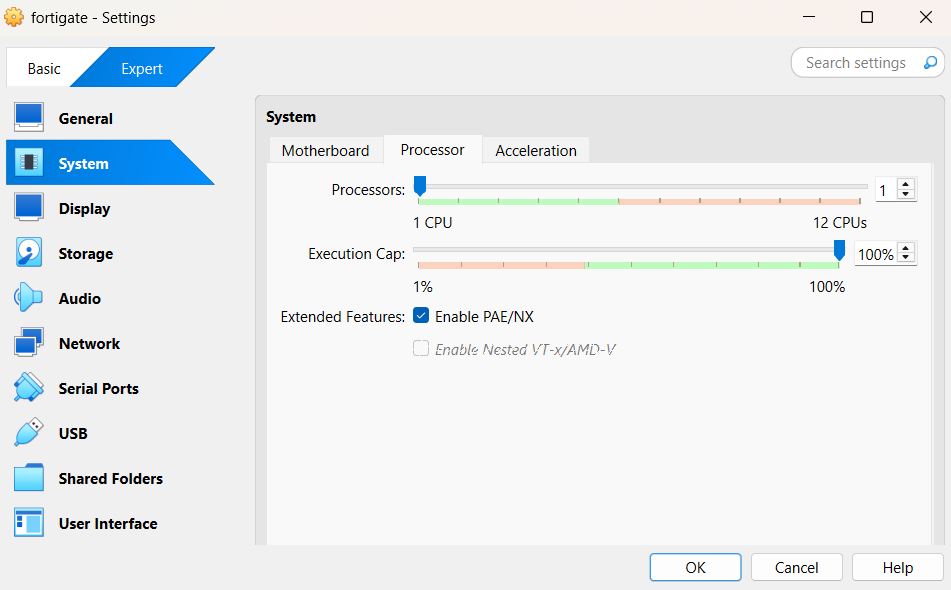
- Set CPU to 1 and enable PAE/NX.
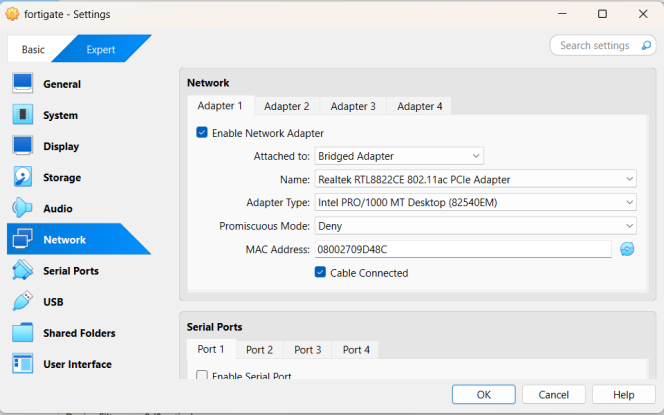
- Configure Adapter 1 as Bridged Adapter using Intel PRO/1000 MT Desktop.
- Enable Adapter 2 as Internal Network.
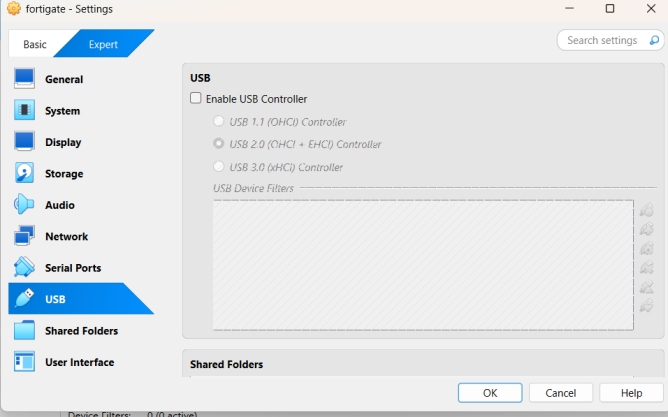
- Disable USB controller.
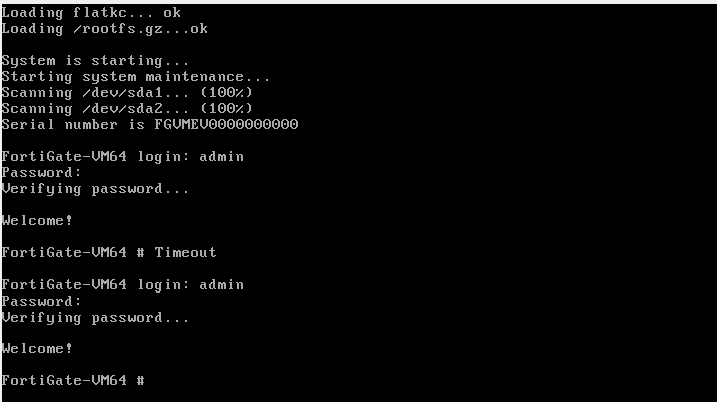
Step 4: Initial boot and login
- Start the VM and wait for boot to finish.
- Log in as
admin. - Leave the first password blank.
- Set a strong new administrator password.
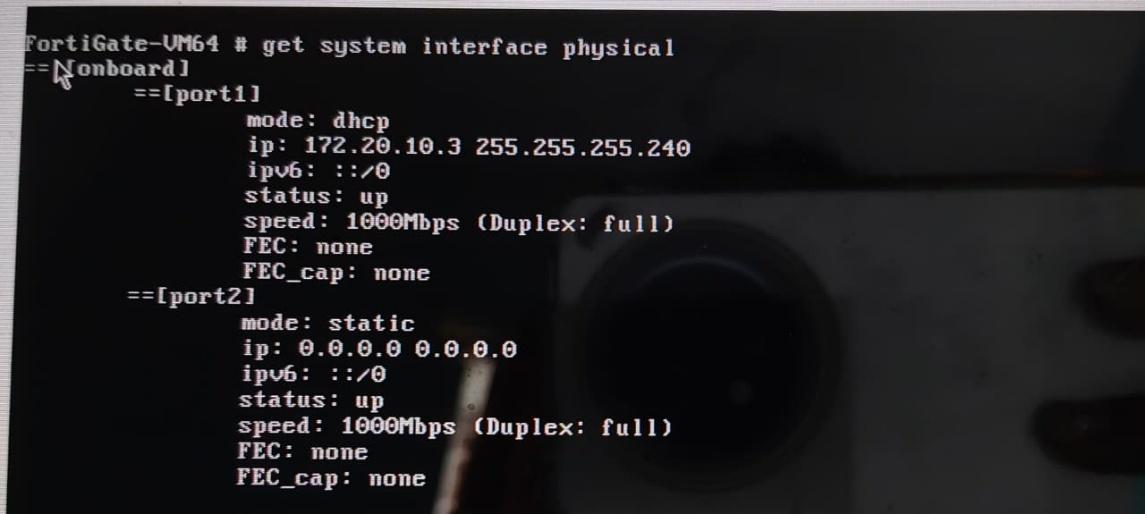
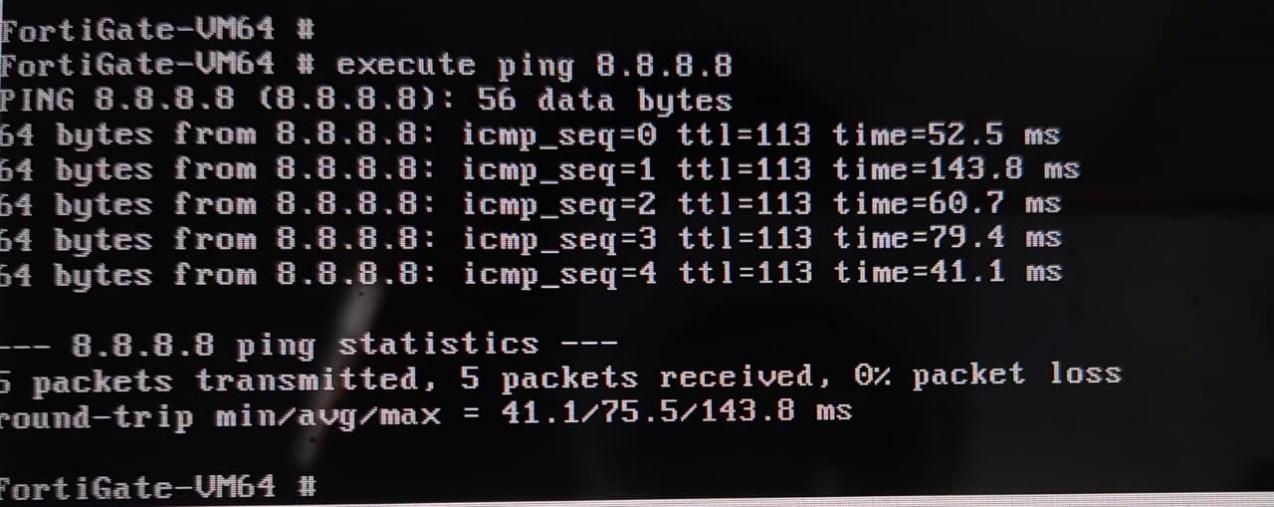
Step 5: Verify connectivity
get system interface physical
execute ping 8.8.8.8
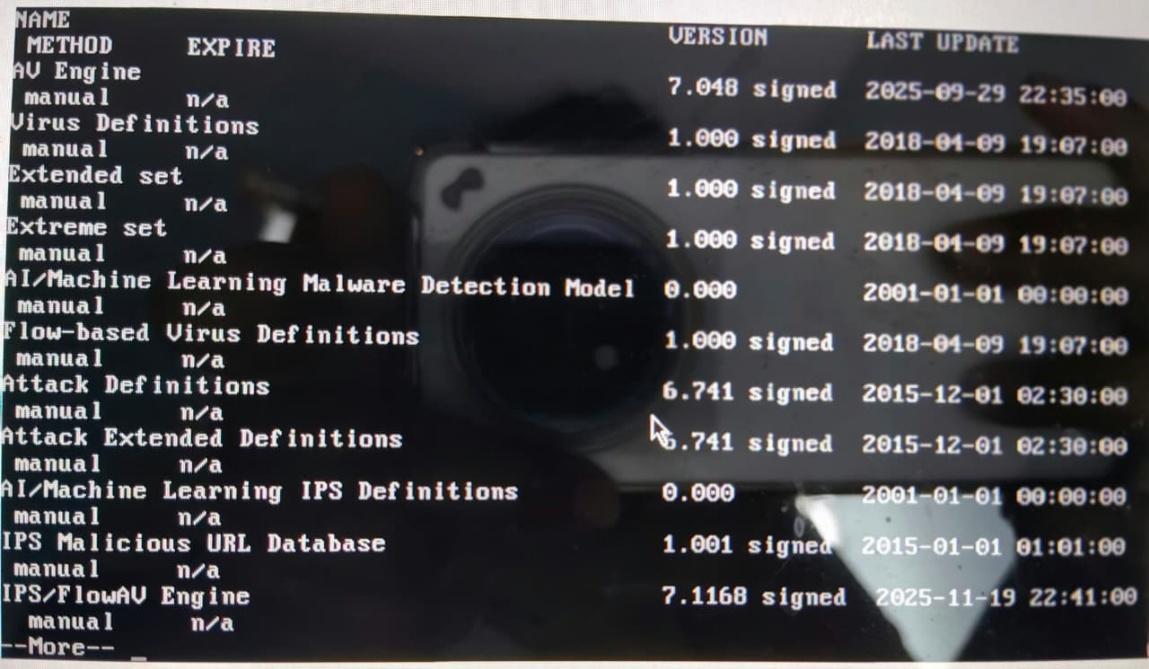
Step 6: Verify security protection
Check FortiGuard service status:
get system fortiguard-service status
Show the active firewall policy:
show firewall policy 1
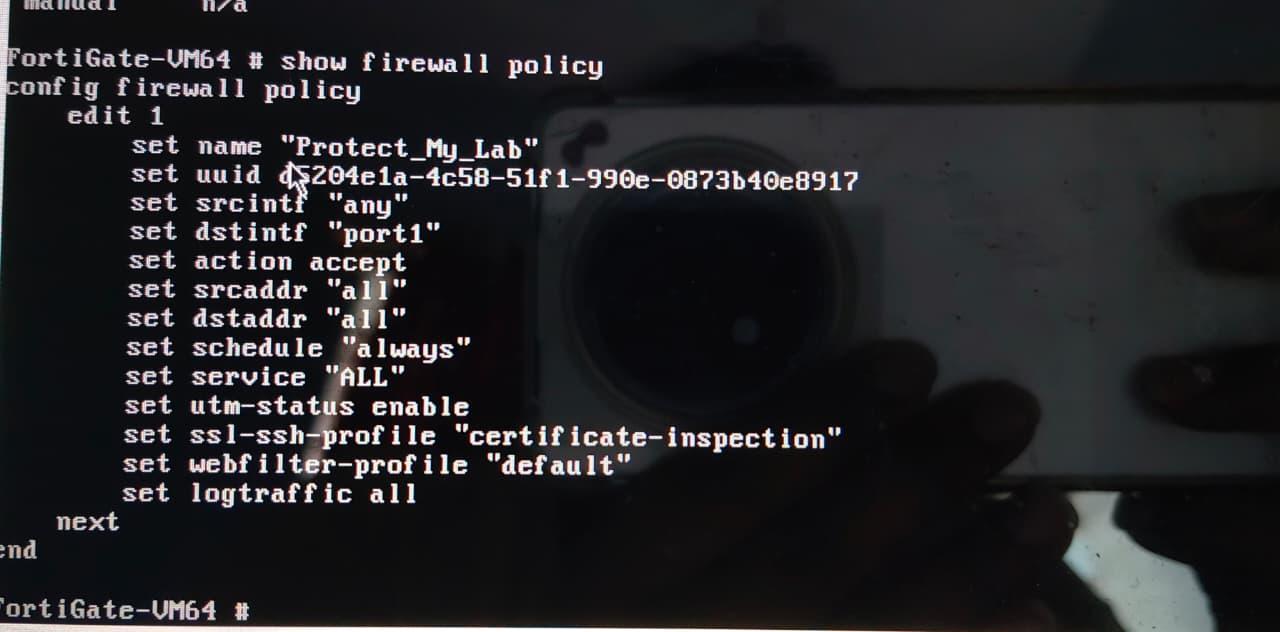
These commands confirm that FortiGuard services, security profiles, and firewall policy enforcement are active.
13. Pricing & Subscription Model
- Pricing type: Hardware purchase plus subscription-based security services.
- Free option: Permanent evaluation license for limited VM resources.
- Paid bundles: Unified Threat Protection and Enterprise Protection.
- Billing model: Per device or asset per year.
Estimated annual costs:
| Organization size | Estimated cost |
|---|---|
| Small | Around USD 800 for hardware plus 1-year UTP |
| Medium | Around USD 5,000+ |
| Enterprise | Around USD 50,000+ |
Hidden costs can include FortiAnalyzer, FortiCare support, electricity, cooling, backups, and spare hardware.
14. Conclusion
FortiGate provides an integrated NGFW platform for modern network security. It combines firewalling, IPS, antivirus, VPN, web filtering, SD-WAN, ZTNA, and threat intelligence in a single platform. The lab deployment demonstrates practical firewall setup, interface configuration, connectivity verification, and CLI-based security validation.
For organizations that need strong network protection with centralized management and high performance, FortiGate is a mature enterprise option. The main planning points are licensing, log storage, firmware lifecycle management, and the right appliance size for inspected throughput.