Introduction
Web applications are now core to online banking, ecommerce, cloud platforms, internal portals, and public services. As organizations rely more heavily on web technologies, attackers increasingly target weaknesses in application logic, authentication, session handling, and data processing.
Traditional defenses such as firewalls and antivirus tools are not enough to detect application-layer issues like SQL injection, Cross-Site Scripting, broken authentication, and insecure session management. Specialized testing tools are needed to inspect web traffic, manipulate requests, and analyze how applications respond.
Burp Suite is a widely used web application security testing platform from PortSwigger. It lets security analysts intercept, inspect, modify, replay, and automate HTTP/HTTPS traffic between a browser and a web server. It is commonly used for penetration testing, vulnerability assessment, bug bounty testing, and secure development validation.
Basic Information
| Field | Details |
|---|---|
| Tool name | Burp Suite |
| Category | Application Security / VAPT |
| Tool type | Hybrid: Community Edition is free, Professional and Enterprise are commercial |
| Vendor | PortSwigger |
| Official website | https://portswigger.net/burp |
| Version tested | Burp Suite Community Edition v2026.2.4 |
1. Tool Overview
What does this tool do?
Burp Suite is an integrated platform for testing web application security. It allows testers to intercept browser traffic, inspect requests and responses, modify parameters and headers, replay requests, and analyze how the target application handles user input.
What problem does it solve?
Burp Suite helps find web vulnerabilities that traditional security tools often miss, including:
- SQL Injection.
- Cross-Site Scripting.
- Broken authentication.
- Insecure session handling.
- Parameter tampering.
- API and REST endpoint weaknesses.
It gives the tester controlled visibility into the client-server conversation so application behavior can be tested safely and repeatably.
Where is it used in the cybersecurity lifecycle?
- Vulnerability Assessment and Penetration Testing.
- Application Security testing.
- SDLC testing and pre-release security validation.
- Bug bounty and ethical hacking programs.
- Security audits of web applications and APIs.
2. How the Tool Works
Working mechanism
Burp Suite operates as an intercepting proxy between the user browser and the target web application.
- The browser sends a request.
- The request is routed through Burp Proxy.
- Burp intercepts and displays the request.
- The tester can modify parameters, headers, cookies, and payloads.
- The modified request is forwarded to the server.
- The server response is captured by Burp.
- The tester analyzes the response for security issues.
This gives full control over the HTTP/HTTPS communication path between client and server.
Architecture components
- Proxy: Captures and modifies HTTP/HTTPS traffic.
- Target: Displays the application structure and site map.
- Repeater: Replays and manually modifies requests multiple times.
- Intruder: Automates payload injection, fuzzing, and brute-force style tests.
- Scanner: Automatically detects vulnerabilities in Professional and Enterprise editions.
- Decoder: Encodes and decodes data such as URL encoding, Base64, and HTML entities.
- Comparer: Compares requests or responses to identify differences.
- Extensions: Adds functionality through the BApp Store.
Data flow
Browser -> Burp Proxy -> optional tester modification -> web server -> Burp Proxy -> browser and tester analysis.
This flow allows detailed analysis of application behavior, response codes, error messages, session handling, and data exposure.
Type
- Agentless tool.
- Proxy-based security testing platform.
- Application-layer security tool.
- Hybrid testing approach: manual testing is primary, while automated scanning is available in paid editions.
3. Features & Capabilities
Core features
- Intercept and modify HTTP/HTTPS requests.
- Analyze web traffic in real time.
- Replay requests with Repeater.
- Inspect cookies, headers, parameters, and responses.
- Test sessions and authentication flows.
- Build a target map of discovered application paths.
Advanced features
- Automated vulnerability scanning in Professional and Enterprise editions.
- Intruder for fuzzing, brute force, and payload automation.
- BApp Store extensions such as Logger++ and ActiveScan++.
- WebSocket testing.
- Advanced payload injection and customization.
- API and REST testing workflows.
Limitations
- Community Edition does not include automated vulnerability scanning.
- Effective usage requires web security knowledge.
- Manual testing can be time-consuming for large applications.
- Community Intruder is speed-limited.
- Testing must be performed only on authorized systems.
4. Deployment Models
Supported environments
- On-premises/local: Most common deployment, installed on Windows, Linux, or macOS.
- Cloud: Can be installed on AWS, Azure, or Google Cloud VMs for remote testing.
- SaaS/Enterprise: Burp Suite Enterprise Edition provides centralized web vulnerability scanning and management.
Deployment types
- Single node: Installed on one tester machine.
- Distributed: Available in Enterprise Edition for large-scale automated scanning.
- Agentless: No software is installed on the target application; Burp works through proxy traffic and scanning.
5. System Requirements
| Component | Requirement |
|---|---|
| OS | Windows 10/11, Kali Linux, Ubuntu, macOS |
| CPU | Dual-core minimum; quad-core recommended |
| RAM | 4 GB minimum; 8 GB+ recommended |
| Storage | 500 MB minimum; 2 GB+ recommended for projects and logs |
| Network | Stable connection, browser proxy support, and local proxy access on 127.0.0.1:8080 |
6. Installation & Setup
Local setup
- Download Burp Suite from the official PortSwigger website.
- Select Community Edition for free usage.
- Run the installer.
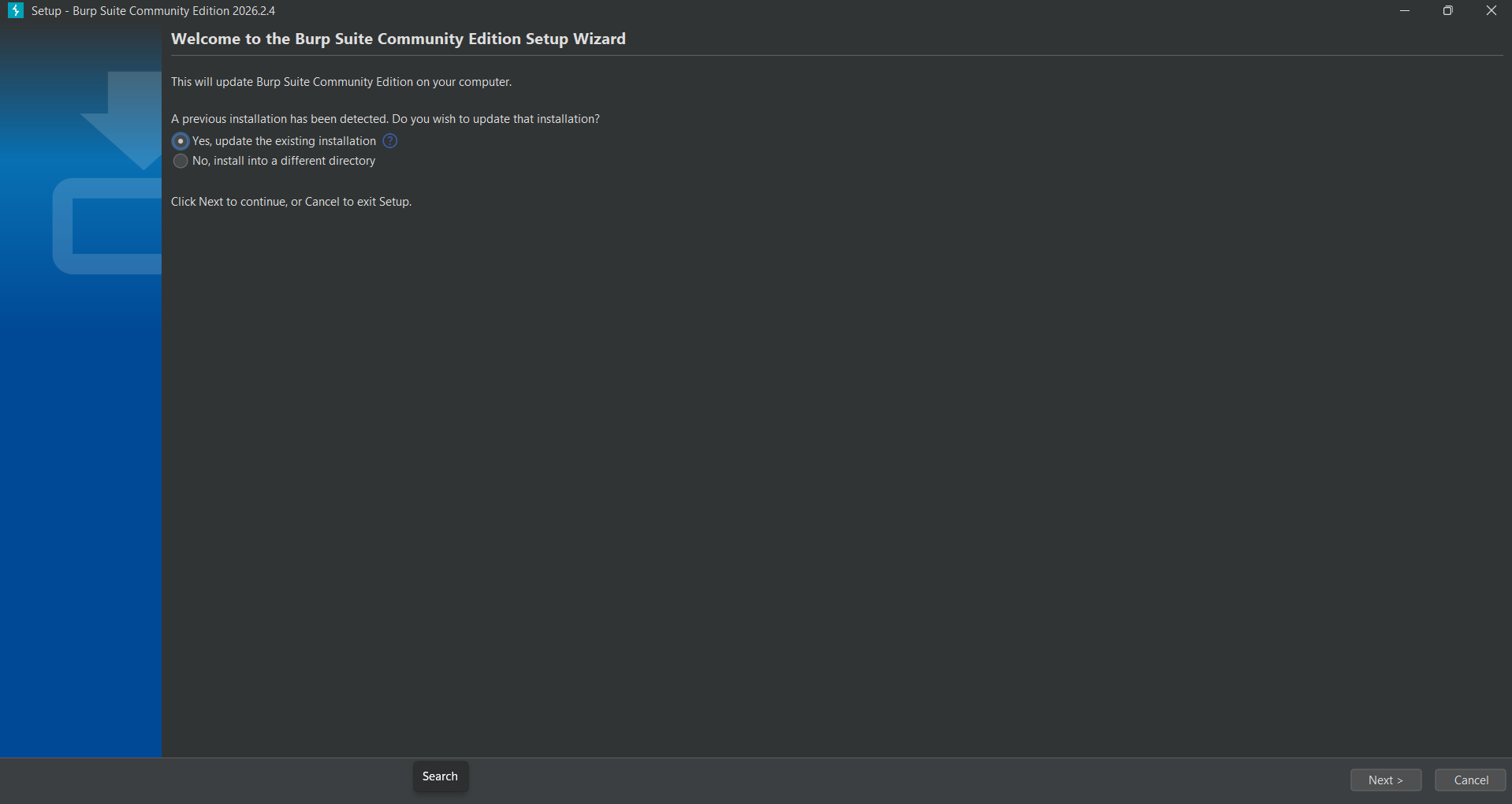
- Launch Burp Suite. Setup completes and the wizard confirms installation.
- Select Temporary Project.
- Choose Use Burp Defaults.
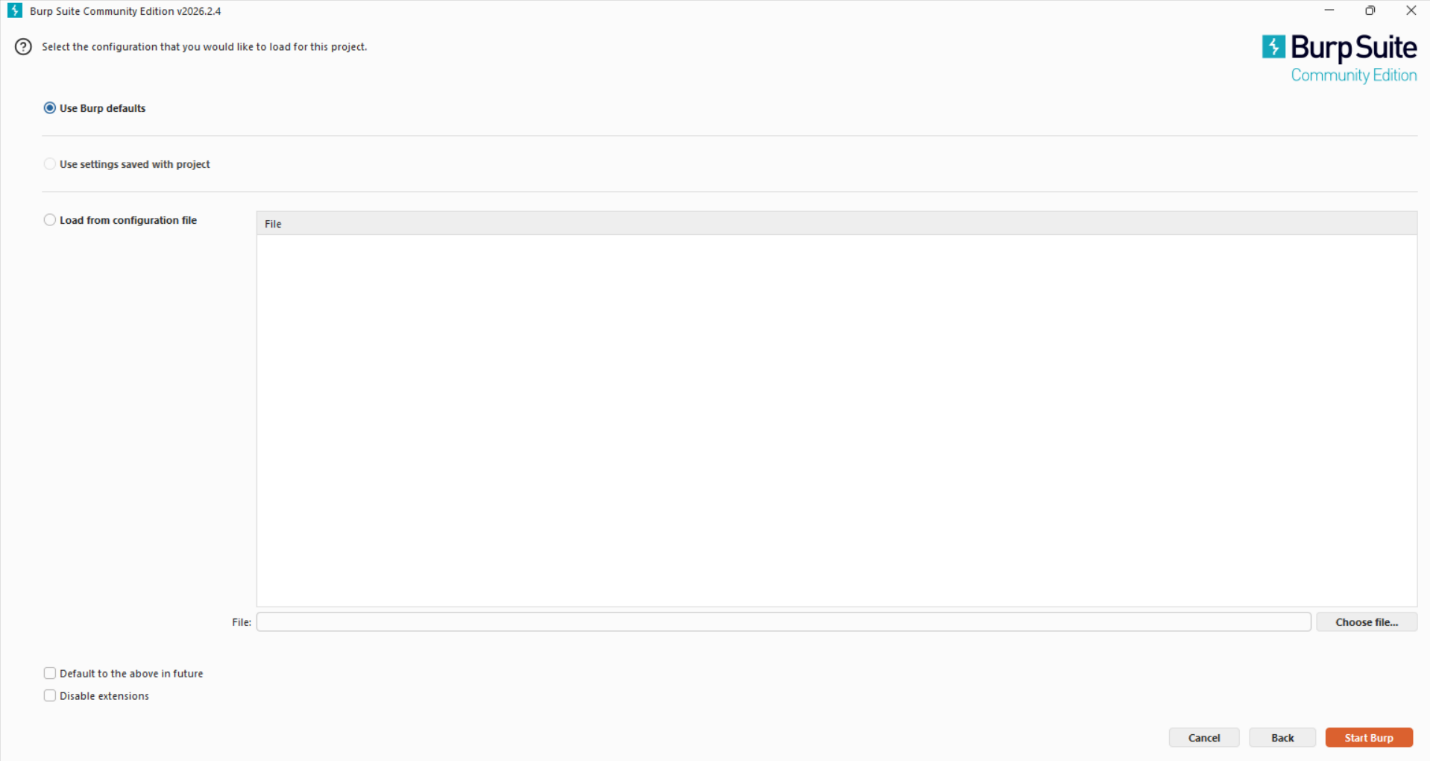
- Start Burp. The Dashboard appears confirming the tool is running.
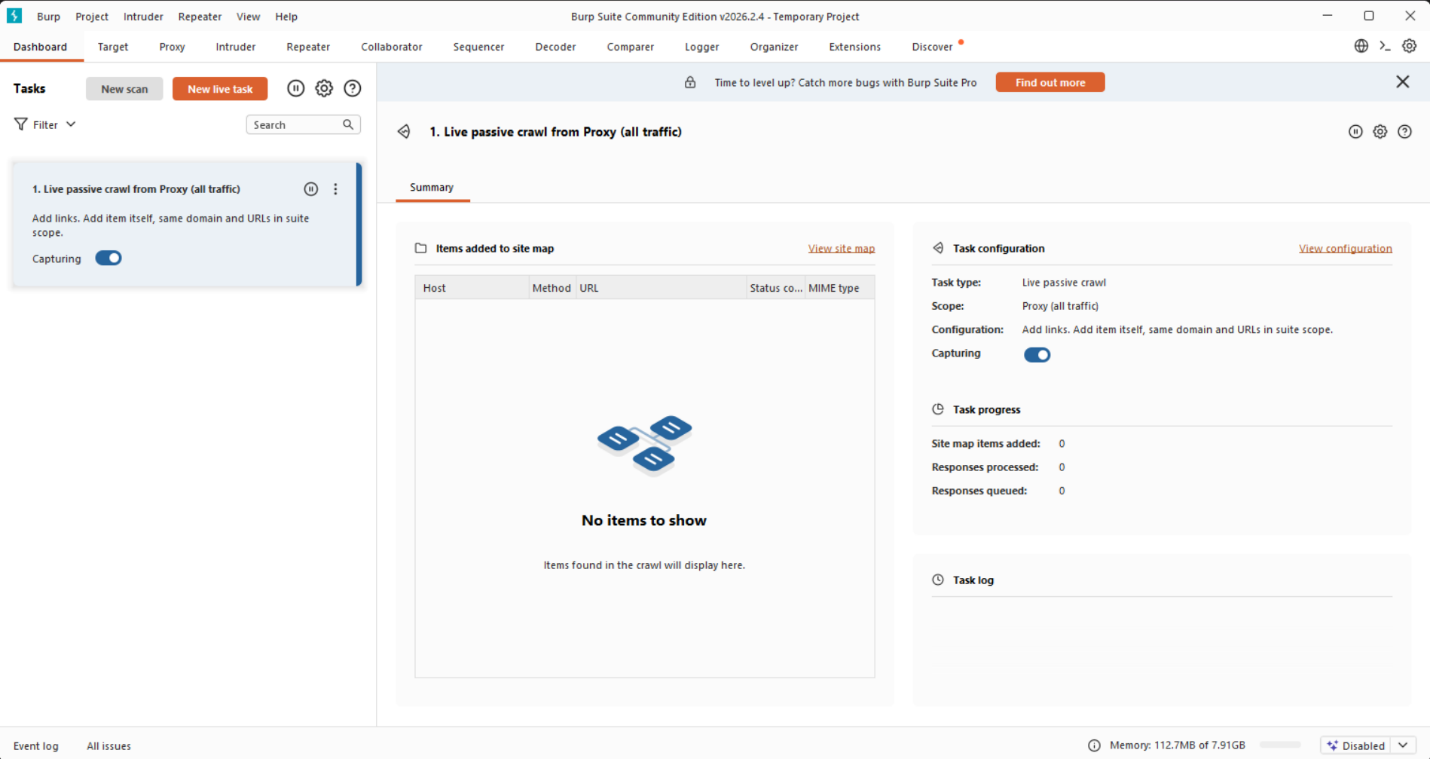
- Configure the browser proxy:
- IP:
127.0.0.1 - Port:
8080 - Turn Intercept ON in the Proxy tab.
- Install the Burp CA certificate in the browser for HTTPS interception.
Using Kali Linux:
sudo apt update
sudo apt install burpsuite
burpsuite
Cloud setup on AWS
- Log in to AWS Console.
- Launch an EC2 instance with Ubuntu Server 22.04.
- Choose
t2.microfor Free Tier testing where eligible. - Configure security groups for SSH on port 22 and HTTP/HTTPS if required.
- Connect through SSH:
ssh -i key.pem ubuntu@your-public-ip
- Install Java:
sudo apt update
sudo apt install default-jdk -y
- Download Burp Suite Community Edition from PortSwigger.
- Run the JAR:
java -jar burpsuite_community.jar
Estimated daily cost is INR 0 within AWS Free Tier limits, or roughly INR 10-30/day depending on usage.
7. Configuration
Basic configuration
- Configure browser proxy to
127.0.0.1:8080. - Enable Intercept ON in Proxy.
- Install the Burp CA certificate in the browser.
- Set target scope in the Target tab.
- Confirm HTTP History is collecting requests.
Advanced configuration
- Configure session handling rules for authenticated workflows.
- Set scope filters to limit testing to the authorized target.
- Use Intruder payload positions for automated parameter testing.
- Configure match and replace rules for request manipulation.
- Enable logging and project history tracking.
Integrations
- APIs: Burp can test REST APIs and interact with API workflows, especially with Professional extensions and automation.
- Third-party tools: DVWA, Chrome, Firefox, BApp Store extensions, OWASP ZAP for comparison, and Metasploit during advanced exploitation phases.
8. Hands-On Usage
Starting the tool
- Launch Burp Suite.
- Select Temporary Project.
- Choose Use Burp Defaults.
- Go to Proxy -> Intercept.
- Turn Intercept ON.
Example: intercepting a DVWA login request
- Open DVWA in the configured browser.
- Enter login credentials.
- Burp intercepts the login request.
- Send the request to Repeater for manual testing.
- Send the request to Intruder for payload testing.
- Modify username, password, headers, or parameters.
- Click Send in Repeater.
- Compare responses and status codes.
Output
Community Edition relies on manual analysis. Testers review:
- HTTP status codes such as 200, 302, 403, and 500.
- Page content changes.
- Error messages.
- Reflected input.
- Authentication behavior.
- Session cookies and tokens.
Burp dashboards and tabs include HTTP History, Target Map, Repeater, Intruder, Decoder, and Comparer.
9. Lab Setup
Environment
- Local Kali Linux or Windows machine.
- Browser configured with Burp proxy.
- Burp Suite as the interception tool.
- Damn Vulnerable Web Application as the target.
- Metasploitable 2 VM for the vulnerable lab host.
Tools used
- Burp Suite.
- DVWA.
- Chrome or Firefox.
- Oracle VM VirtualBox.
- Optional wordlist such as
rockyou.txtfor controlled brute-force testing in the lab.
What was tested
- Login authentication brute force and bypass testing.
- SQL injection inputs.
- Reflected XSS inputs.
- Parameter manipulation.
- Request replay with Repeater.
- Payload testing with Intruder.
Results
- HTTP requests were intercepted successfully.
- Weak input validation was identified.
- Possible SQL injection points were detected.
- Reflected XSS behavior was observed.
- Parameters could be manipulated and server responses compared.
- In the DVWA brute-force lab, a known weak password was identified using a controlled wordlist test.
10. Use Case Mapping
- Target users: Penetration testers, security analysts, ethical hackers, developers, and bug bounty hunters.
- Company size: Startups for manual testing, medium enterprises for audits, and large organizations for AppSec programs.
- Industries: Banking, finance, ecommerce, healthcare, government, IT, and software companies.
Real-world scenarios
- Testing login systems for authentication bypass.
- Finding vulnerabilities before production deployment.
- Bug bounty testing.
- Security audits of web applications.
- Testing APIs for insecure data exposure.
11. Pricing & Subscription Model
Burp Suite uses a freemium plus commercial subscription model.
| Edition | Model | Typical use |
|---|---|---|
| Community | Free | Manual learning and basic testing |
| Professional | Per-user license | Professional penetration testing and automated scanning |
| Enterprise | Asset/application based | Centralized enterprise scanning and reporting |
Estimated costs:
| Organization size | Estimated cost |
|---|---|
| Small company | INR 35,000-45,000 per user/year |
| Medium company | INR 2-5 lakhs/year |
| Enterprise | INR 10+ lakhs/year |
Hidden costs can include cloud VMs, storage for logs and reports, paid extensions, integrations, training, updates, and security audit time.
12. Free vs Paid Comparison
| Feature | Community | Professional |
|---|---|---|
| Intercept Proxy | Yes | Yes |
| Manual testing | Yes | Yes |
| Automated scanner | No | Yes |
| Intruder speed | Limited | Advanced |
| Reporting | Basic/manual | Advanced |
| Extensions | Yes | Yes |
Upgrade is required when teams need automated vulnerability detection, large-scale testing, professional reporting, enterprise workflows, or CI/CD integration.
13. Competitor Analysis
OWASP ZAP
OWASP ZAP is open source and free. It is beginner-friendly and provides stronger free automation. Burp Suite is generally stronger for deep manual testing and professional penetration testing workflows.
Acunetix
Acunetix is a user-friendly automated scanner. It is useful for fast automated scans but gives less manual control than Burp Suite. Burp Suite is better for deep testing; Acunetix is better for quick automated assessment.
14. Advantages and Disadvantages
Advantages
- Industry-standard web security testing platform.
- Full control over HTTP/HTTPS traffic.
- Strong manual testing capabilities.
- Supports extensions and customization.
- Cross-platform support.
- Strong documentation and community.
Disadvantages
- Requires technical web security knowledge.
- Community Edition is limited.
- Manual testing can be slow for large applications.
- Free version is not fully automated.
- Beginners face a learning curve.
15. Issues and Troubleshooting
Common issues
- Browser traffic not appearing in Burp.
- HTTPS sites not loading.
- Proxy misconfiguration.
- DVWA not responding.
- Blank responses in Burp.
Common errors
Proxy connection failed.Certificate error.Connection refused.
Fixes
- Confirm browser proxy is set to
127.0.0.1:8080. - Install the Burp CA certificate in the browser.
- Turn Intercept OFF when a page appears stuck.
- Restart Burp Suite and the browser.
- Check local firewall settings.
- Confirm the target VM and web server are reachable.
Common mistakes
- Forgetting to enable or disable Intercept at the right time.
- Not configuring browser proxy settings.
- Testing unauthorized websites.
- Misinterpreting responses.
- Not setting scope properly.
16. Security and Compliance
Burp Suite processes sensitive data such as HTTP requests, authentication tokens, cookies, headers, credentials, and user input. Community and Professional editions handle this data locally unless the tester configures external sharing or integrations.
Burp project files and HTTP history may contain sensitive information, so they should be stored securely, encrypted where appropriate, and deleted according to engagement policy.
Burp Suite supports testing aligned with OWASP Top 10, secure coding reviews, and application security audits. It does not directly enforce compliance, but it helps teams identify and document issues that affect compliance.
17. Scalability and Performance
- Community Edition: Limited scalability because most testing is manual.
- Professional Edition: Suitable for professional testers and moderate automation.
- Enterprise Edition: Designed for high-scale automated scanning across many applications.
Performance depends on system RAM, application size, project history size, and Intruder workload. Manual testing is generally lightweight, while automated payload attacks can consume more resources.
18. Deployment SOP
Requirement checklist
- System with at least 8 GB RAM.
- Stable internet connection.
- Authorized target application.
- Chrome or Firefox browser.
- Java installed if using the JAR version.
Architecture selection
- Use single-node deployment for individual testers and small teams.
- Use Enterprise distributed scanning for large organizations.
- Use proxy-based testing architecture for manual workflows.
Installation steps
- Download Burp Suite from PortSwigger.
- Install Community or Professional edition.
- Launch the application.
- Select project type and configuration.
Configuration steps
- Configure proxy as
127.0.0.1:8080. - Set browser proxy settings.
- Install Burp CA certificate.
- Define target scope.
- Enable Intercept for testing.
Validation checklist
- Proxy is working.
- Requests are intercepted.
- HTTPS traffic is visible.
- Target application loads correctly.
- No connection errors are present.
Reporting setup
- Use HTTP History and Repeater evidence for manual findings.
- Document vulnerability type, request/response evidence, impact, and recommendation.
- Export findings manually in Community Edition.
- Use built-in reporting in Professional Edition.
Client handover
- Provide a vulnerability report.
- Include screenshots and request/response evidence.
- Explain risk severity.
- Suggest remediation steps.
- Conduct final walkthrough or demo.
19. Demo Summary
What was demonstrated
Burp Suite was used with DVWA in a controlled lab to demonstrate:
- Interception of HTTP requests.
- Parameter modification.
- Request replay using Repeater.
- Payload testing with Intruder.
- Basic vulnerability testing.
Key findings
- Weak input validation in web forms.
- Potential SQL injection points.
- Reflected Cross-Site Scripting behavior.
- Request manipulation and response comparison.
- Weak test credentials discovered in the DVWA brute-force lab.
Screenshot walkthrough
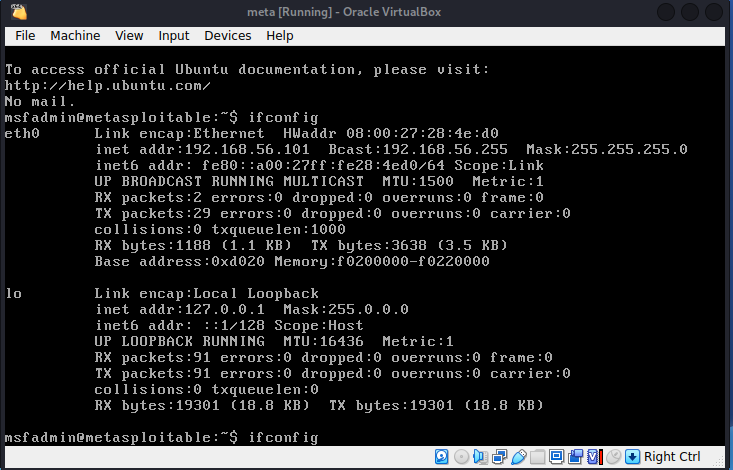
- Metasploitable 2 was started inside Oracle VM VirtualBox. The
ifconfigcommand confirmed the IP address as192.168.56.101.
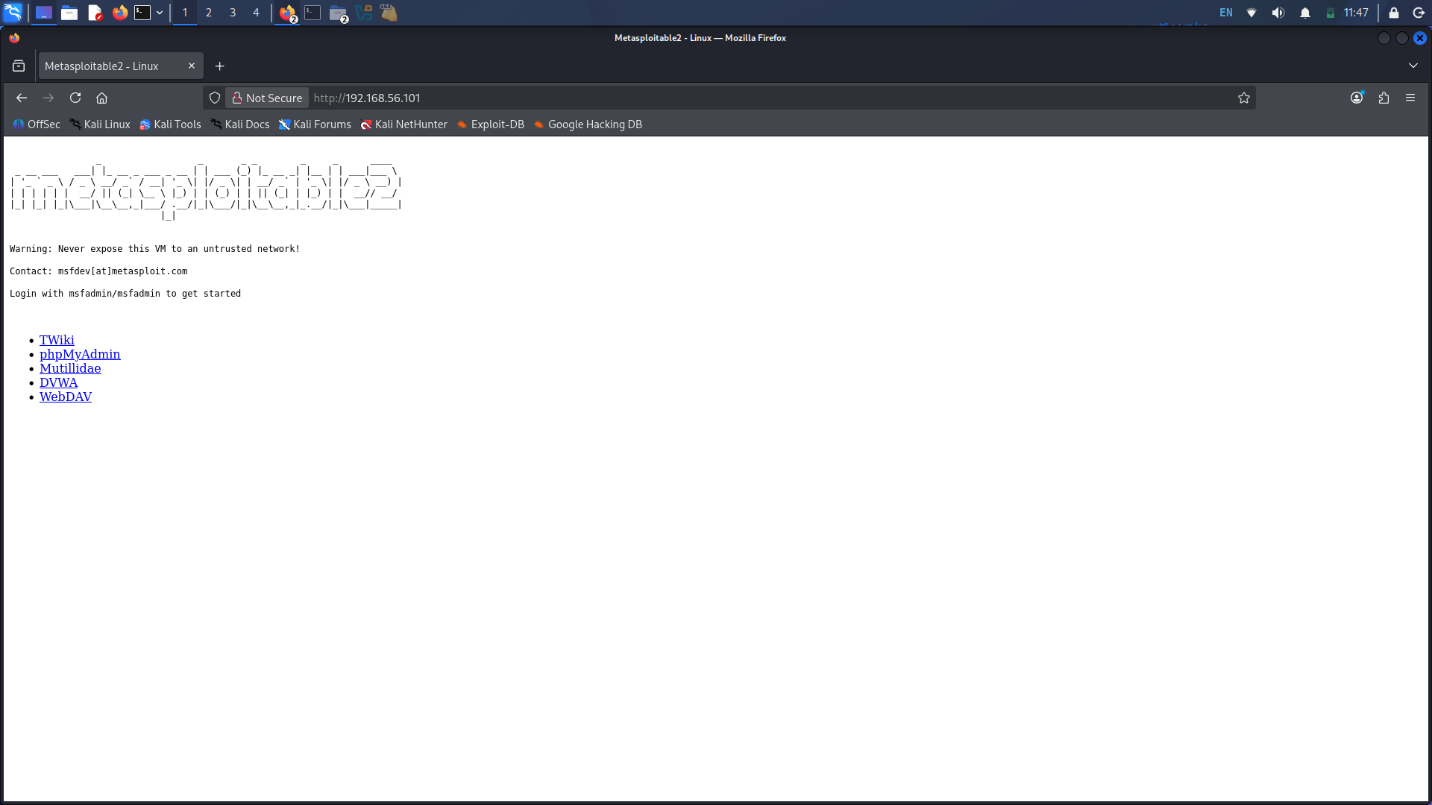
- The target was accessed in a browser through
http://192.168.56.101.
- DVWA was opened and default credentials were used for lab authentication.
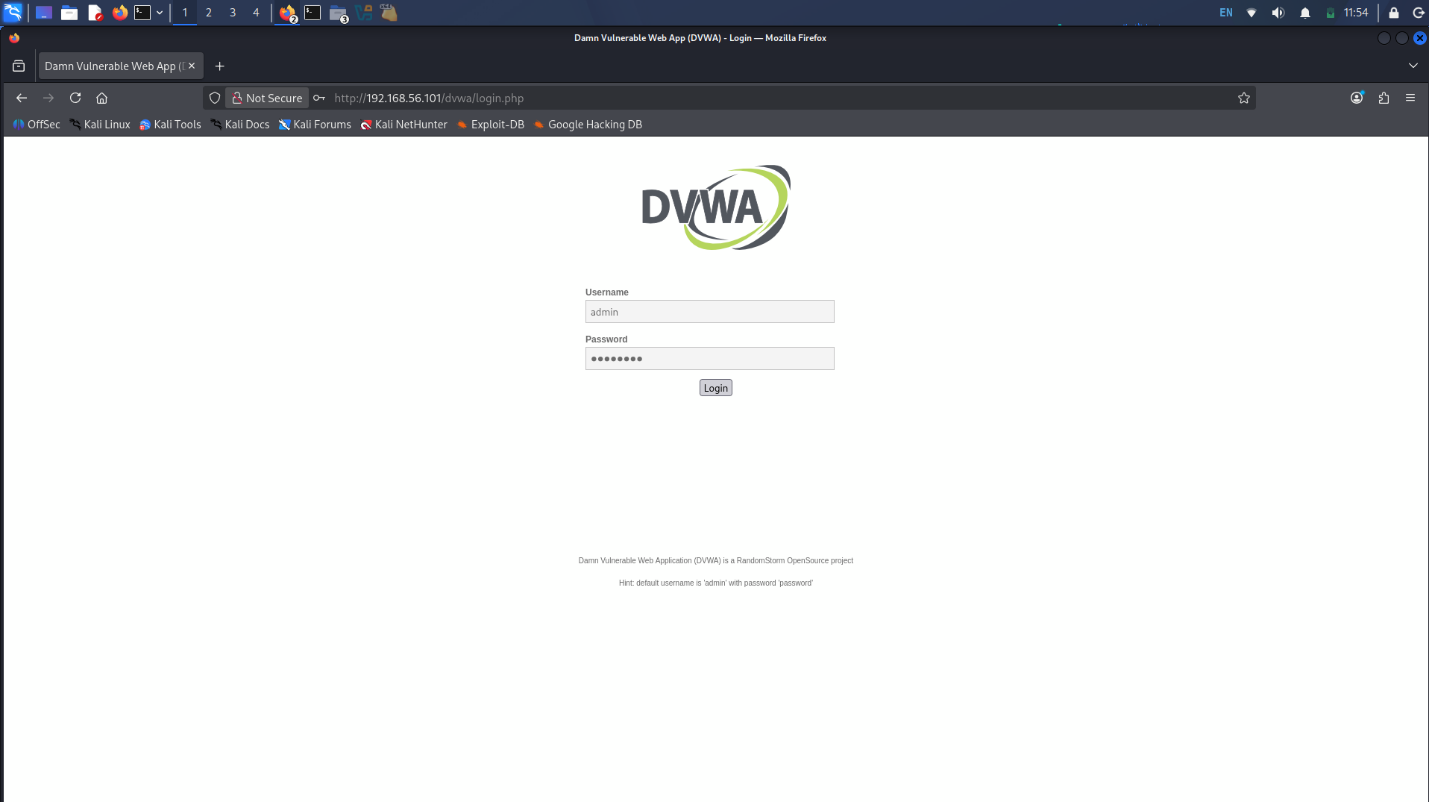
- DVWA security level was set to Low for controlled testing. The home page confirmed admin login.
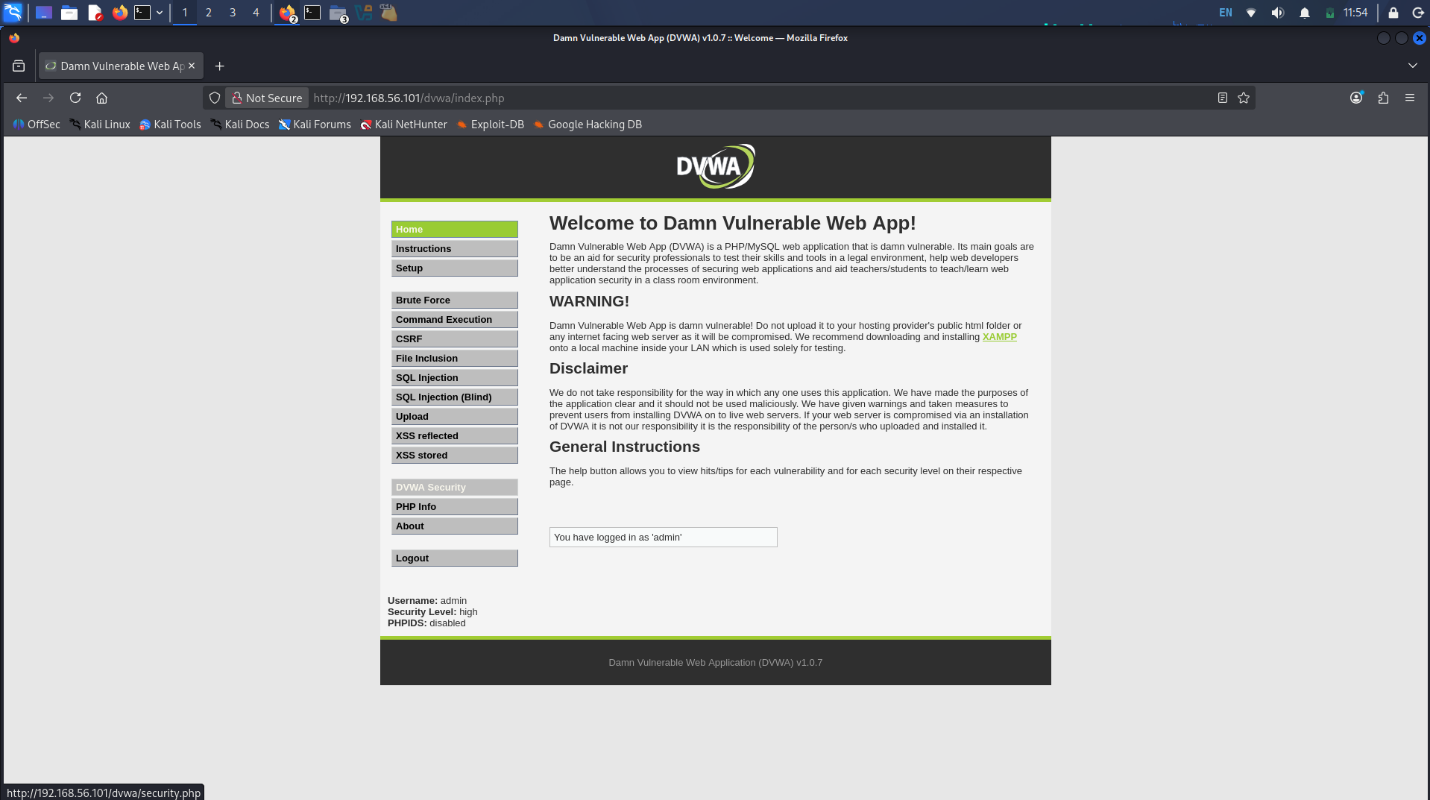
- Burp Proxy Intercept was turned ON to capture traffic. The DVWA brute-force request was captured.
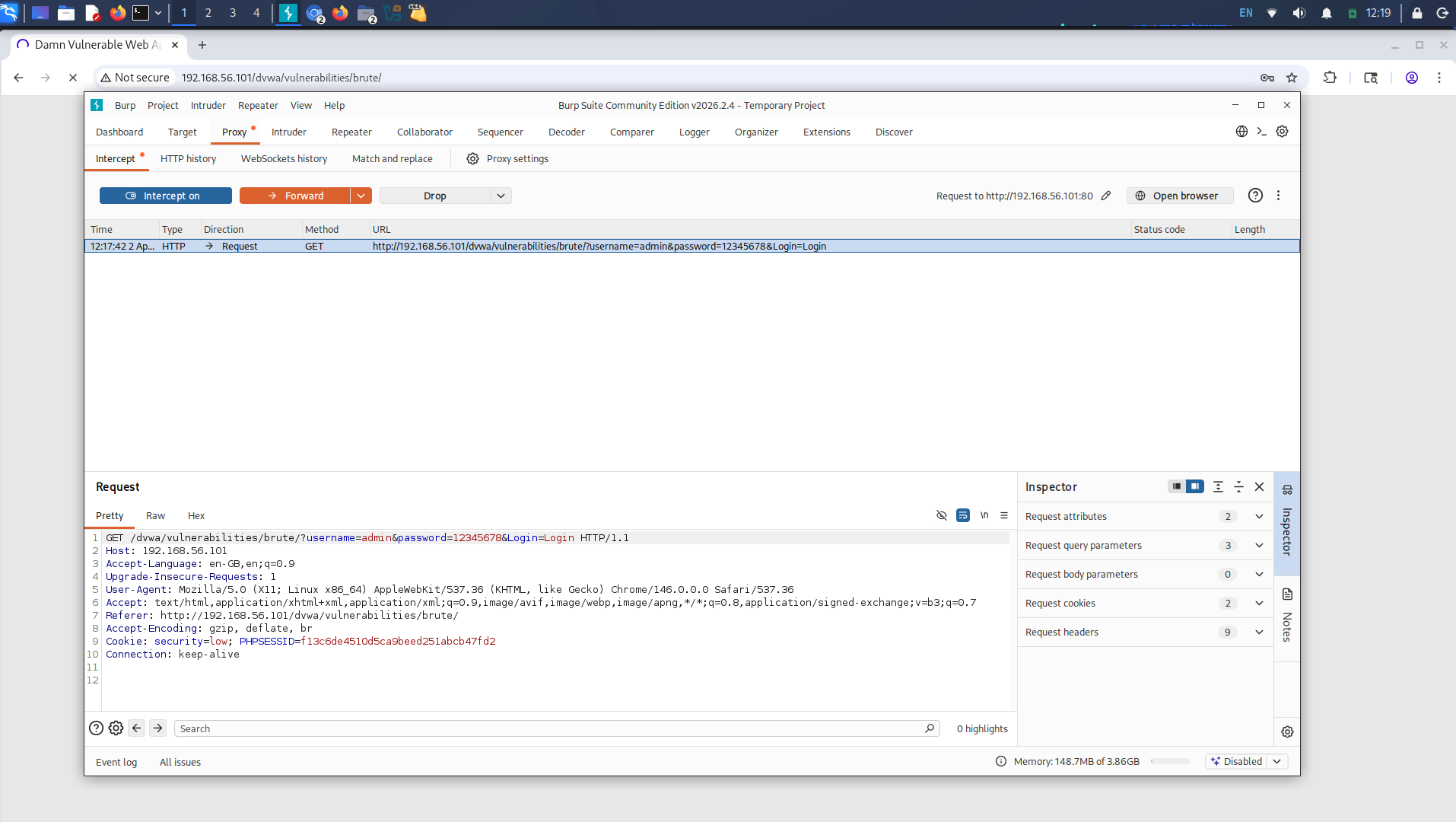
- The captured request was sent to Intruder. Payload positions were configured on the password parameter.
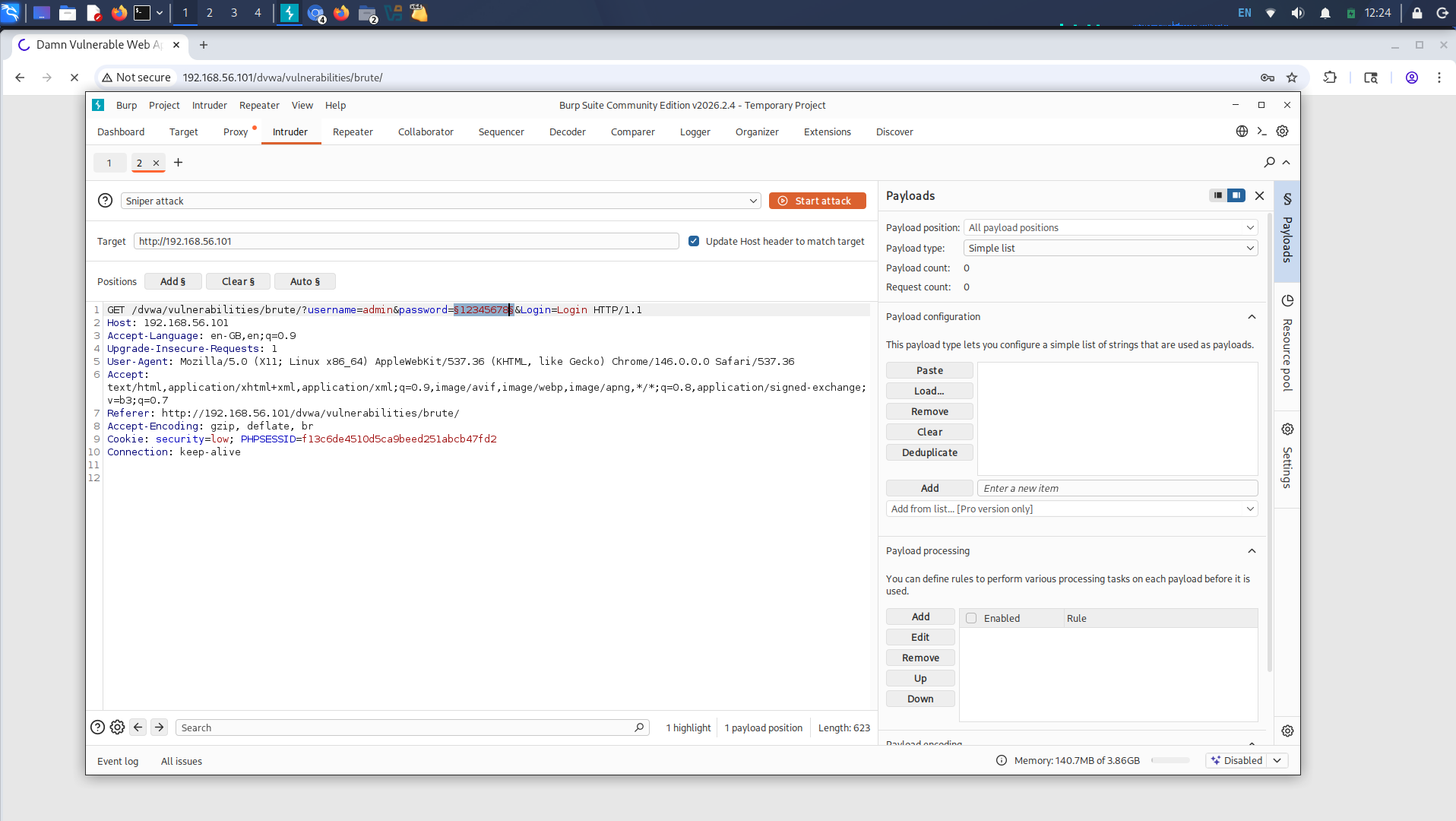
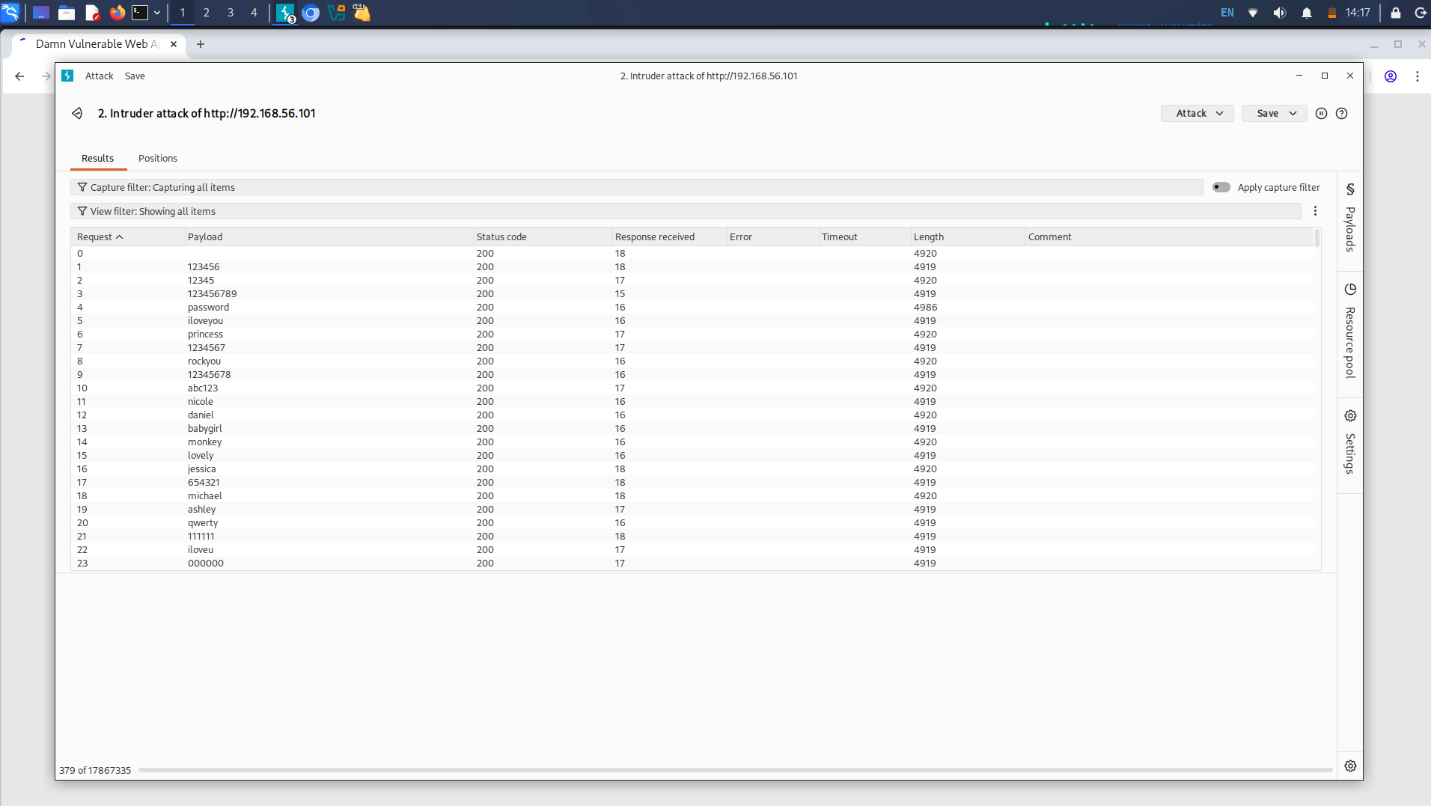
- Payload positions were configured and a wordlist attack was started.
- The controlled test identified the weak password
passwordby comparing response lengths in the attack results.